Justice Engine reads every document in your Swiss legal case file and builds the timeline. It lists the accusations, checks each one against the rest of the file and finds contradictions and procedural flaws. Then it shows which Swiss law applies and turns everything into a report for your lawyer.
Save on fees, find the details that count
Legal fees add up quickly, and in a file of hundreds of pages even an experienced lawyer can overlook a small detail that could change the whole case. Justice Engine brings those details to light. You arrive at every meeting well prepared, and your lawyer’s time goes where it matters most.
Your file stays with youStored on your computer only
Swiss law
3 languagesEnglish, French, German
Report for you and your lawyerPDF, Word, Excel and more
How it works
Six steps, from the pile of paper to the report
01
Import
On your computer
PDF (scanned too), Word, ODT, RTF, Excel, e-mails, text, images, ZIP, audio and video. Text recognition in French, German and English and transcription of recordings with timestamps run on your computer. Identical files are analyzed only once.
02
Document analysis
AI, one document at a time
For each document: a summary, the people and organizations, dated events, who said what, the accusations with the Swiss Criminal Code article and the stage of the proceedings, and the evidence for, against or neutral, rated 1 to 5.
03
Cross-analysis
AI, the whole file at once
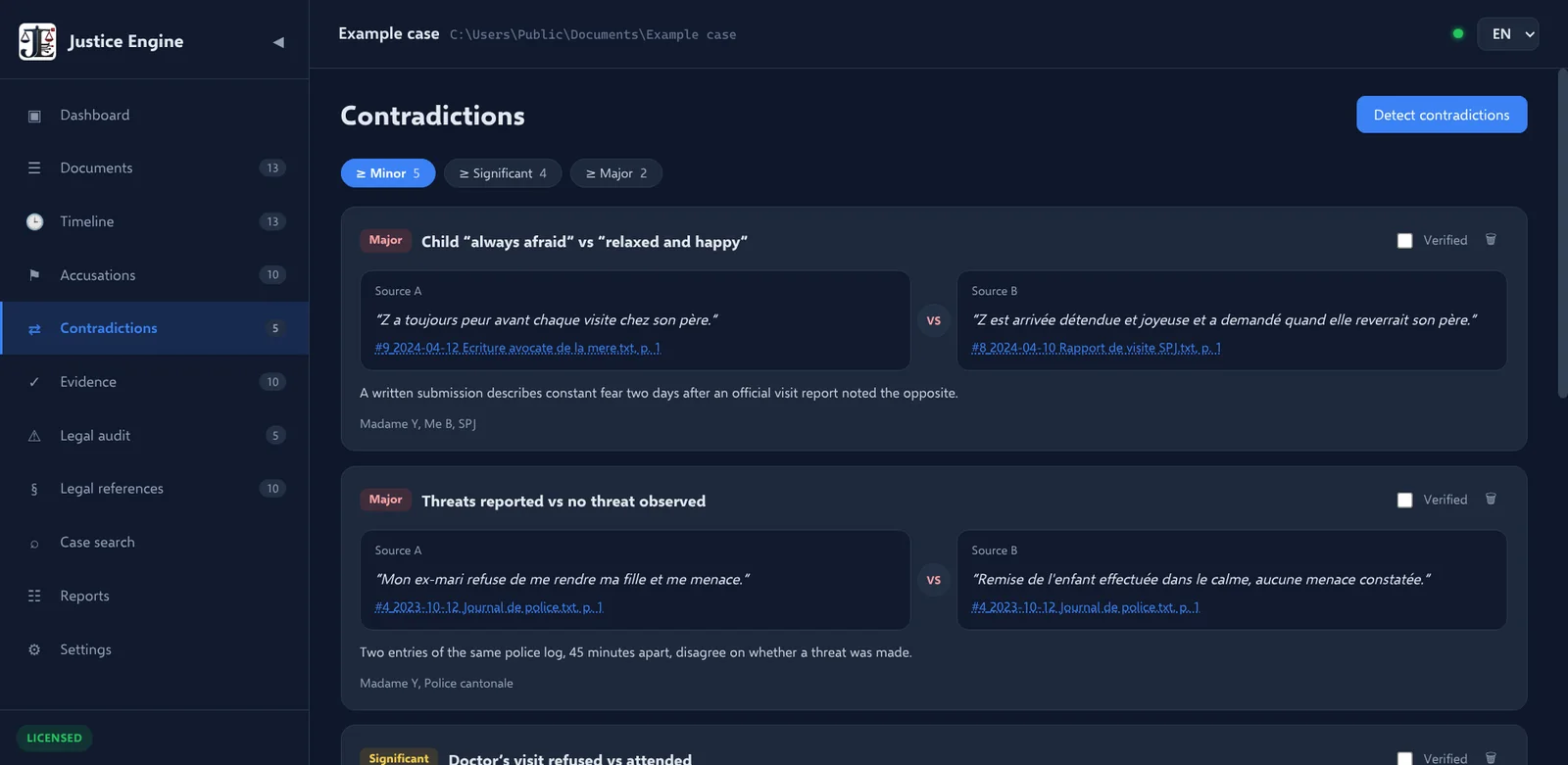
Contradictions between documents side by side, procedural flaws and gaps in the timeline. Every accusation is checked against the rest of the file, with the counter-evidence.
04
Swiss law
The laws that apply to your case, from the Civil Code to the European Convention on Human Rights.
05
Case search
Ask in plain language
Ask questions about your file. The AI answers by searching your local case database with 11 tools: full text, documents, events, statements, accusations, evidence, flaws, laws and people.
06
Reports
Ready for your lawyer
PDF, Word, Excel, Markdown, TXT or JSON. Pick from 8 sections, add an AI-written summary, or keep only the items you marked as verified.
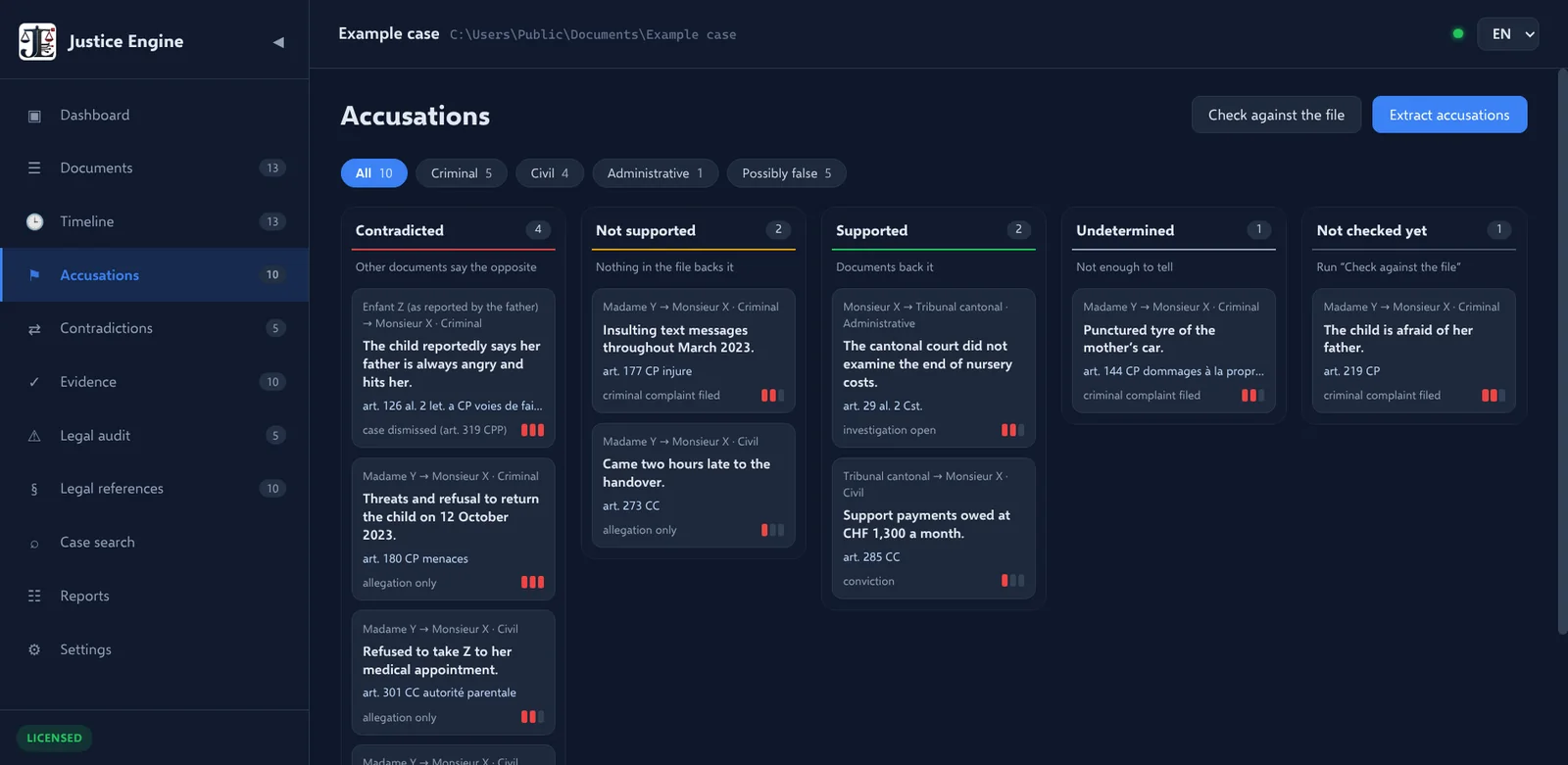
Accusations
Each accusation is checked against the whole file
Justice Engine sorts every accusation into one of four results and shows the counter-evidence.
ContradictedNot supportedSupportedUndetermined
It also flags signs of a possible false accusation and the provisions that may apply:
Art. 303 CPFalse accusation
Art. 304 CPMisleading the authorities
Art. 306, 307 CPFalse statements and false testimony
Art. 173, 174 CPDefamation and slander
These are indicators, not conclusions. Every one must be checked.
Contradictions_ ▢ ✕
The screens
See Justice Engine at work
An example case with fictional people. Choose a screen.
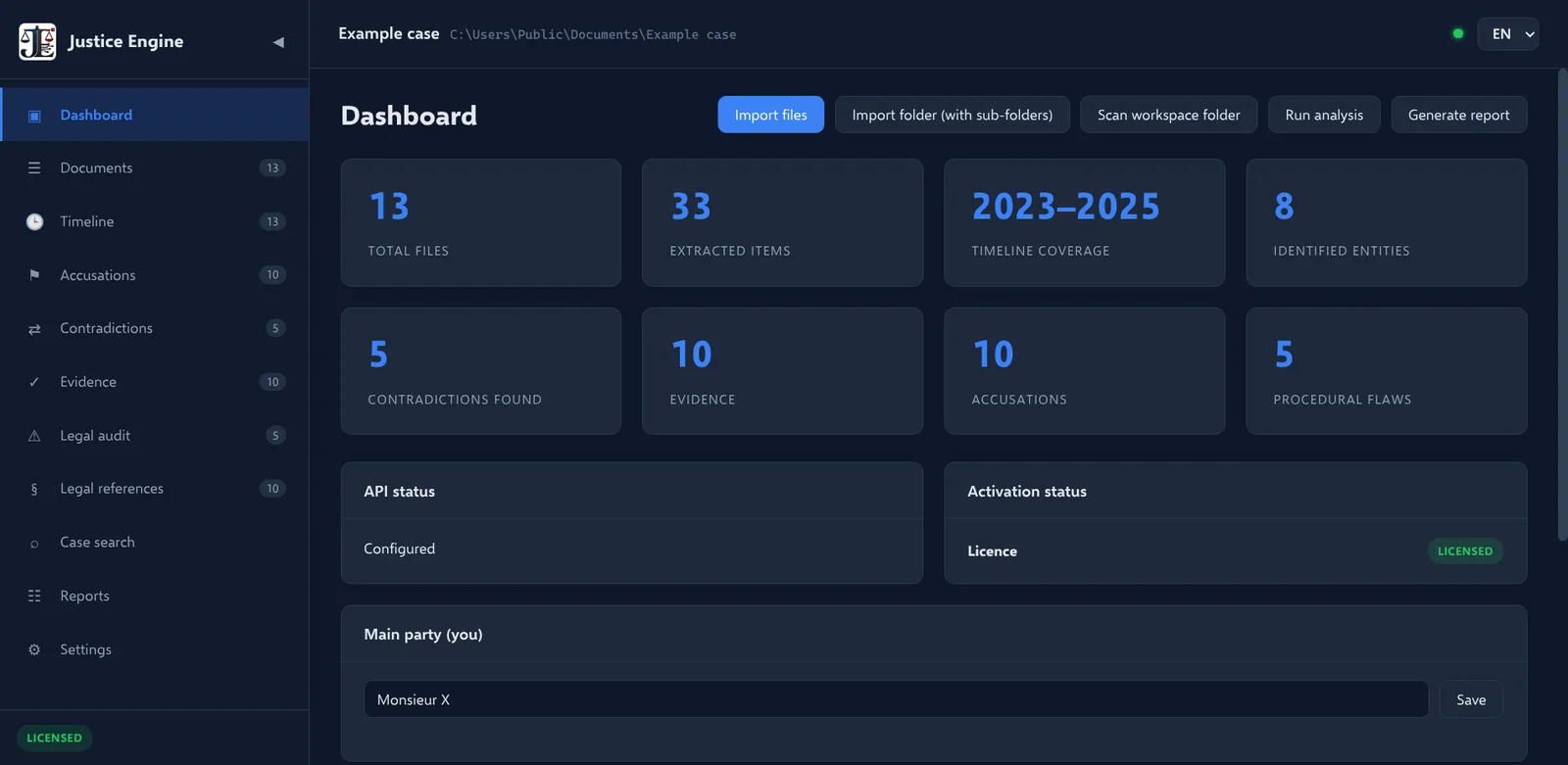
Dashboard_ ▢ ✕
Dashboard. Counts, progress of the 4 steps, cost estimate, license and API status
Mark items as verifiedAny item can be marked as verified, and a report can keep only those.
Quote checkThe details view checks that a quote really appears in its source document.
Good to know before you start
Justice Engine analyzes documents. It does not give legal advice and does not replace a lawyer.
Check every result, especially a false-accusation indicator.
For transcription, set the language of the recording.
On very large files, a contradiction between two parts that are far apart can be missed. The app tells you when this can happen.
With your consent, we use Google Analytics to measure visits to this site. If you refuse, your visit stays exactly the same. Our privacy policy

 Justice Engine